Mobile Ready Android iOS No App Store PHP Payments

crown89 Download – Add to Your Home Screen and Play Anywhere in the Philippines

crown89 runs fully in your mobile browser — no app store download required. Filipino players on Android or iOS can save the platform directly to their home screen for instant one-tap access to slots, sports betting, and casino-style entertainment in Philippine pesos. This guide walks you through the exact steps to get set up in under two minutes, wherever you are in the Philippines.
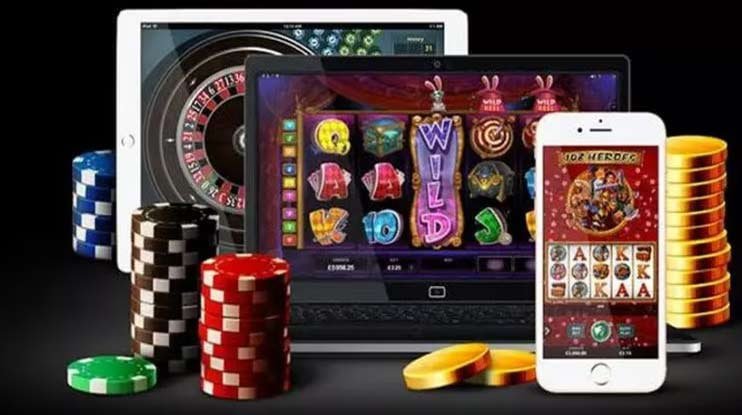

crown89 mobile home screen shortcut setup on Android phone in Philippines
Mobile Browser Play Android Support iOS Support Home Screen Shortcut Secure Platform PHP Deposits 24/7 Access Sports Betting Slots Library Free Registration Mobile Browser Play Android Support iOS Support Home Screen Shortcut Secure Platform PHP Deposits 24/7 Access Sports Betting Slots Library Free Registration

Do I Need to Download an App to Play on crown89?

No app store download is needed to play on crown89. The platform is fully browser-based, which means Filipino players on any Android or iOS device can access all features — slots, sports betting, live casino-style games, and account management — directly through their mobile browser without installing anything. The fastest way to get started is to save crown89 to your home screen, which creates a shortcut that behaves just like a native app but takes up almost no storage space. This guide explains exactly how to do that on both Android and iOS in just a few taps. If you have any questions about getting started, the FAQ page has clear answers for Filipino players.

Get Started Free

Everything You Get Without an App Store

Four reasons Filipino players prefer the crown89 browser experience over a traditional app download.

Instant Access, Zero Storage

Because crown89 runs in your browser, there is no large app file to download and no storage space consumed on your device beyond a simple home screen shortcut. Filipino players with limited phone storage can access the full platform without sacrificing space for photos, messages, or other apps. The browser-based approach also means the platform is always up to date — you never need to manually update an app to get the latest features or security improvements. Loading times are optimised for Philippine mobile data connections so the experience is smooth even on standard LTE. Simply open your browser, navigate to crown89, and you are ready to play within seconds.

Works on Any Smartphone

The crown89 platform is compatible with all modern Android and iOS smartphones, regardless of brand or model. Whether you are using a budget Android handset or a flagship iPhone, the mobile-optimised layout adapts automatically to your screen size for a clean, readable experience. Filipino players across all regions — Metro Manila, Cebu, Davao, and beyond — can access the platform on any network without compatibility issues. The interface is built in Philippine English so navigation is straightforward for local players from the moment they open the site. There is no need to check device specifications or worry about operating system version requirements before getting started.

Home Screen Shortcut in 3 Taps

Adding crown89 to your home screen takes less than a minute and gives you one-tap access that feels identical to opening a native app. On Android, open the site in Chrome, tap the three-dot menu, and select "Add to Home screen." On iOS Safari, tap the Share button and choose "Add to Home Screen." Once added, the crown89 icon appears on your home screen and launches the platform in full-screen mode without the browser address bar. This is the recommended setup for Filipino players who want the fastest possible access to their account, especially before a game or live event starts. The steps are covered in detail in the How to Set Up section below.

Full PHP Support on Mobile

Every feature of the crown89 platform — deposits, withdrawals, bets, and game play — is fully available on mobile with all amounts displayed in Philippine pesos. Filipino players never need to convert currencies or deal with foreign exchange rates at any point in the process. The supported payment methods include options that are widely used across the Philippines, making it easy to fund your account from your phone without needing a desktop computer. Withdrawals are processed back to your preferred local payment method, keeping the entire financial flow within the Philippine peso ecosystem. For a full list of supported payment options, visit the FAQ page.

Step-by-step guide to adding crown89 to iOS Safari home screen in Philippines

How to Set Up crown89 on Your Phone

1

Open Your Mobile Browser

On Android, use Chrome. On iPhone or iPad, use Safari. Navigate to crown89.bet in the address bar. The site loads automatically in its mobile-optimised layout, ready to use immediately without any additional setup.

2

Add to Home Screen

On Android Chrome, tap the three-dot menu in the top-right corner and select "Add to Home screen." On iOS Safari, tap the Share icon at the bottom of the screen and choose "Add to Home Screen." Confirm the name and tap Add.

3

Register or Log In

Tap the crown89 icon on your home screen to launch the platform. If you are new, register for free — it takes only a few minutes. Existing players can go straight to login and access their account immediately.

4

Deposit in PHP and Play

Fund your account using a supported Philippine peso payment method and start exploring slots, sports betting, and casino-style games — all from the same mobile shortcut, available 24 hours a day across the Philippines.

Mobile Access at a Glance

A quick reference for Filipino players setting up crown89 on their device.

Detail Android iOS (iPhone / iPad)
Recommended Browser Google Chrome Safari
Add to Home Screen 3-dot menu → Add to Home screen Share icon → Add to Home Screen
App Store Required No No
Storage Used Shortcut only Shortcut only
Currency Philippine Pesos (₱) Philippine Pesos (₱)
Availability 24/7 24/7

Once crown89 is on your home screen, these sections are worth visiting first.

Browse the Slots Library

The Slots section has a full catalogue of slot titles playable directly in your mobile browser with bets in Philippine pesos. It is one of the most popular destinations for Filipino players on crown89 and works seamlessly on the home screen shortcut you just set up.

Place a Sports Bet

Head to the bet section to find basketball, football, and other sports markets with odds displayed in ₱. The mobile layout makes it easy to check odds and confirm a wager in seconds, whether you are at home or on the go anywhere in the Philippines.

Get Help Fast

If anything about the setup process or the platform is unclear, the FAQ page covers the most common questions from Filipino players in plain Philippine English — from how to deposit in PHP to how payouts work on mobile.

Download FAQ – What Filipino Players Ask Most

Straightforward answers about accessing crown89 on mobile in the Philippines.

crown89 does not require a download from the Google Play Store or Apple App Store. The platform is fully browser-based, which means Filipino players can access everything — slots, sports betting, casino-style games, and account management — directly through Chrome on Android or Safari on iOS. There is no app file to install, no storage space consumed beyond a home screen shortcut, and no need to wait for app store approval or updates. The browser experience is optimised for mobile and works on any modern smartphone across the Philippines. Simply visit crown89.bet in your browser and follow the steps on this page to add it to your home screen for one-tap access.

On an iPhone or iPad, open Safari and navigate to crown89.bet. Tap the Share icon — the square with an arrow pointing upward — at the bottom of the Safari screen. Scroll through the share sheet options and tap "Add to Home Screen." You can edit the shortcut name if you like, then tap "Add" in the top-right corner to confirm. The crown89 icon will appear on your home screen and will open the platform in a full-screen view without the Safari address bar, giving you an experience very close to a native app. This process works on all iPhone models running a current version of iOS.

On an Android device, open Google Chrome and go to crown89.bet. Tap the three-dot menu icon in the top-right corner of the browser. Select "Add to Home screen" from the dropdown menu — on some Android versions this may appear as "Add to Home screen" or "Install app." Confirm the name and tap "Add" or "Install" to place the shortcut on your home screen. The crown89 icon will appear just like any other app icon and will launch the platform directly when tapped. This works on all Android phones and tablets running Chrome, regardless of brand or model.

Yes — all deposits and withdrawals on crown89 are handled in Philippine pesos, and the full payment flow is available on mobile through the browser. Filipino players can fund their account and request withdrawals directly from their smartphone without needing to switch to a desktop computer at any point. The supported payment methods include options that are widely used across the Philippines, making it convenient for players in all regions. All amounts are displayed in ₱ throughout the process so there is no currency confusion. For the complete list of supported payment methods and step-by-step instructions, visit the FAQ page.

You can browse the crown89 platform on mobile without registering, but you will need a free account to place bets, play games, and make deposits. Registration is completely free and takes only a few minutes — visit the registration page, fill in your details, and your account is active immediately with no waiting period. If you already have an account, simply log in after opening the home screen shortcut and you are ready to play. There is no obligation to deposit before exploring the platform, so you can get familiar with the layout and available games before committing any funds. The FAQ page has more information about what is available to registered members on crown89.
Filipino player accessing crown89 slots and sports betting on mobile browser

Ready to Play? Add crown89 to Your Home Screen Now

No app store, no large download, no storage headaches. Open crown89.bet in your mobile browser, add it to your home screen in three taps, and you have instant access to slots, sports betting, and casino-style entertainment in Philippine pesos — 24 hours a day, from anywhere in the Philippines. Registration is free and your account is active the moment you sign up.